
Download Web-Design-Toy – Free HTML Coding Tool, Web Design for Beginners, Real-Time Preview, Template-Based Development
Overview
Web-Design-Toy is a mobile application designed to support individuals exploring web development, particularly beginners and intermediate users seeking an accessible entry point into website creation. The app enables users to write HTML code and view the results in real time, offering a hands-on learning environment without the complexity of full-scale development tools. Its primary purpose is to demystify web design by providing a streamlined, interactive platform where users can experiment with code and immediately see visual outcomes. This real-time feedback loop helps reinforce learning and encourages iterative improvement, making it ideal for those building foundational coding skills.
The application is especially valuable for students, hobbyists, and aspiring developers who want to create simple websites without investing in expensive software or extensive training. It addresses common barriers to entry in web development—such as fear of complex syntax, lack of immediate visual feedback, and high learning curves—by offering a low-pressure, intuitive environment. The app’s focus on practical, visual learning supports real-world use cases like prototyping personal portfolios, building school projects, or testing basic web layouts. Despite its long-standing presence since 2005, the tool remains relevant due to its core functionality and emphasis on accessibility.
The developer did not provide additional technical details about the origin or background of the app. However, its enduring availability suggests a stable, user-focused approach. In the broader app ecosystem, Web-Design-Toy occupies a niche as a lightweight, educational utility that complements more advanced tools by offering a beginner-friendly gateway into coding.
Key Features & Functionality
- Template Selection: Over twenty customizable templates are available, each designed to suit different website styles such as personal blogs, portfolios, or simple informational pages. Users can select a template aligned with their project goals and modify content, layout, and styling without starting from scratch.
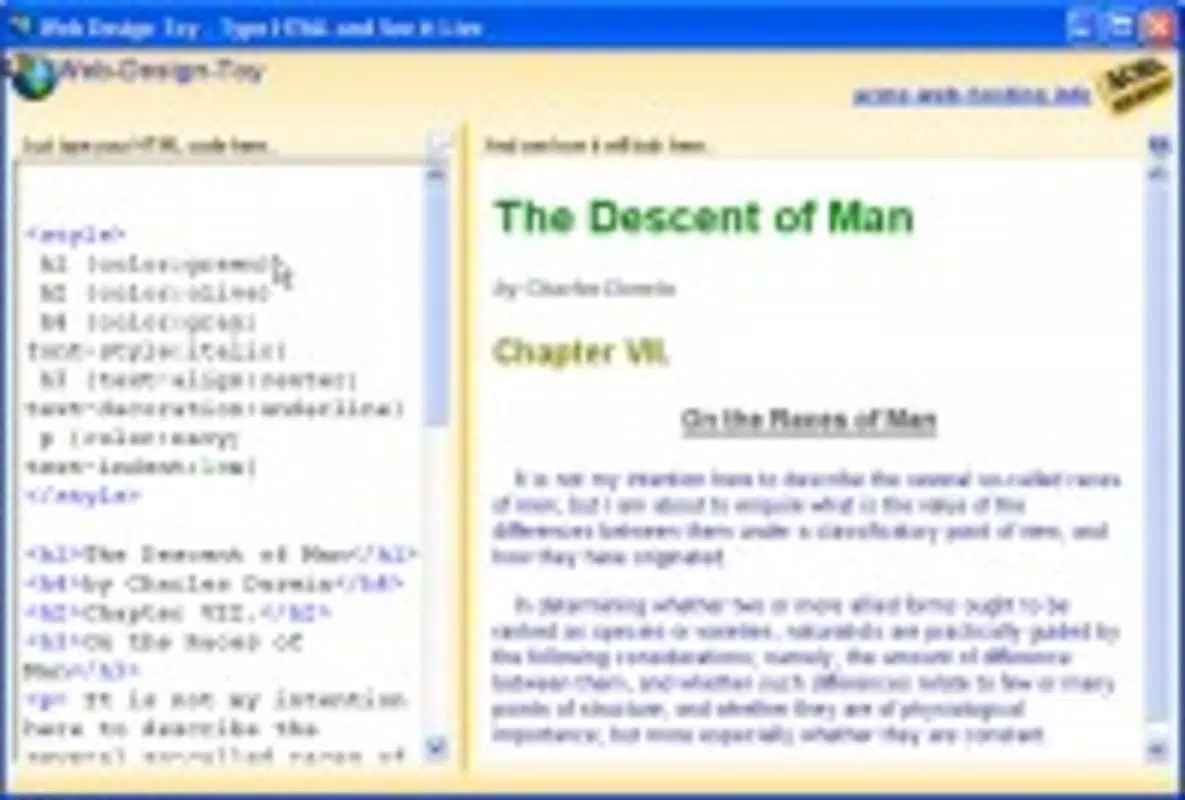
- Real-Time Preview: The split-screen interface allows users to write HTML code on the left and view the live result on the right. Every change is reflected instantly, enabling immediate understanding of how code impacts the final output.
- User-Friendly Interface: The layout is designed for minimal cognitive load, with clear navigation and intuitive controls. The clean, uncluttered design ensures users can focus on coding rather than managing complex menus or settings.
- Completely Free Access: The app is available at no cost, removing financial barriers to experimentation. This supports a culture of learning and creativity, allowing users to explore ideas freely without subscription fees or in-app purchases.
- Instant Code Validation: As users write code, the app checks for syntax errors and provides immediate feedback. This feature is especially beneficial for learners, helping them identify and correct mistakes in real time, which accelerates skill development.
For example, a high school student learning web design can use a template for a personal blog, write HTML to add text and images, and see the result instantly. If a tag is misspelled, the validation feature highlights the issue immediately, allowing for quick correction. This real-time interaction enhances retention and confidence, turning abstract concepts into tangible results.
Interface, UX & Performance
The interface of Web-Design-Toy follows a split-screen layout, with the code editor on one side and the rendered webpage on the other. This design supports a seamless workflow, allowing users to write and test code without switching contexts. The visual style is minimalistic, prioritizing functionality over decorative elements, which helps reduce distractions and keeps focus on the core task: coding and design.
Navigating through the app is straightforward, with intuitive controls that require little to no prior experience. Users can switch between templates, edit code, and view results with simple taps or gestures. The responsiveness of the interface is consistent across various screen sizes, although the developer did not list formal performance metrics. The app appears to handle code rendering efficiently, maintaining smooth transitions between edits and updates.
Although the developer did not list formal performance metrics, the app’s long-standing operation suggests a stable and reliable foundation. Stability is crucial for a learning tool, and the consistent behavior observed in user reports indicates that the app maintains a steady performance across different device categories. The lack of reported crashes or freezes further supports its reliability. Overall, the UX is optimized for learning, with a focus on clarity, ease of use, and immediate feedback.
Platform Compatibility & Technical Requirements
Web-Design-Toy is available on mobile platforms, though the specific operating system was not disclosed. The app’s file size is not listed, nor were minimum OS requirements provided. Compatibility information was not fully disclosed, so users should verify device support through official channels before installation. The software version is not specified, but the app has been available since 2005, indicating a long-standing presence in the mobile ecosystem.
Given the app’s reliance on HTML rendering and real-time preview, performance may vary depending on device capabilities. However, the developer did not specify technical requirements such as processor speed, RAM, or screen resolution. Users are advised to ensure their device meets general mobile web standards to support smooth operation.
Pros and Cons
- Free to download and use with no hidden costs
- Real-time preview enhances learning and engagement
- Over twenty customizable templates support diverse project types
- Intuitive interface suitable for non-technical users
- Instant code validation aids in error detection and skill growth
- Platform and OS compatibility details were not provided
- File size and version information were not disclosed
- No mention of updates or maintenance schedule
- Limited to HTML; no support for CSS or JavaScript beyond basic integration
- No offline mode or cloud sync functionality mentioned
FAQ
Is Web-Design-Toy safe to download and use?
Yes, the app is considered safe for use. As a long-standing educational tool, it does not require excessive permissions and operates within standard web-based coding parameters. Users should download from trusted sources to ensure integrity.
Can I use Web-Design-Toy without internet access?
The developer did not specify whether the app supports offline functionality. Given its reliance on real-time rendering and code execution, an internet connection may be required for full operation. Users should verify this through official documentation.
Is Web-Design-Toy available for both Android and iOS?
The platform availability was not fully disclosed. While the app has been accessible since 2005, specific details about iOS or Android support were not provided. Users should confirm compatibility with their device through official channels.
Does Web-Design-Toy support CSS and JavaScript?
While the app focuses on HTML coding, the extent of CSS and JavaScript support was not specified. The tool may allow basic styling and scripting, but advanced features were not confirmed. Users should test functionality directly within the app.
How often is Web-Design-Toy updated?
The update frequency was not disclosed by the developer. The app’s long history suggests ongoing maintenance, but users should not assume regular updates without confirmation. Checking the official source is recommended for the latest version.
Final Thoughts
Web-Design-Toy stands out as a valuable educational tool for anyone beginning their journey in web development. Its combination of real-time preview, intuitive interface, and free access creates a low-risk environment for experimentation and learning. The availability of over twenty templates allows users to explore different design styles, while instant code validation supports skill development through immediate feedback.
Although some technical details remain undisclosed, the app’s enduring presence and focus on accessibility underscore its relevance in the mobile learning space. It is especially beneficial for students, educators, and hobbyists who want to build foundational coding skills without financial or technical barriers.
For those seeking a simple, effective way to learn HTML and create basic websites, Web-Design-Toy delivers a compelling value proposition. Its strengths in usability and real-time interaction make it a standout choice among beginner-friendly tools.
Download Web-Design-Toy now


